Hosted execution plane for coding agents
One control plane for every coding agent.
Use the AI subscriptions and machines you already pay for. Mantri runs each task in a sandbox and opens a PR after you approve.
Sign in to Mantri
Use Google, GitHub, or a one-time code sent by email.
Continue with Google Continue with GitHubor
New to Mantri? Create an account
- 01Intake
- 02Placed
- 03Run
- 04Verified
- 05Approve
- 06PR
Queued
copilotFix flaky login test
Running
claude-codeAdd rate limits
codexBump dependencies
Verifying
gemini-cliCache headers
Awaiting you
agyRetry with backoffNeeds you
SOC 2 ready.
Credentials never leave your hosts.
Branches only, never merges.
Sandboxes are destroyed after each task.
Features
Send work in. Get reviewed pull requests out.
These parts of Mantri work today. Open a group to see its features and screens.
01 · Submit work
Turn a sentence or an issue into a bounded task.
5 features
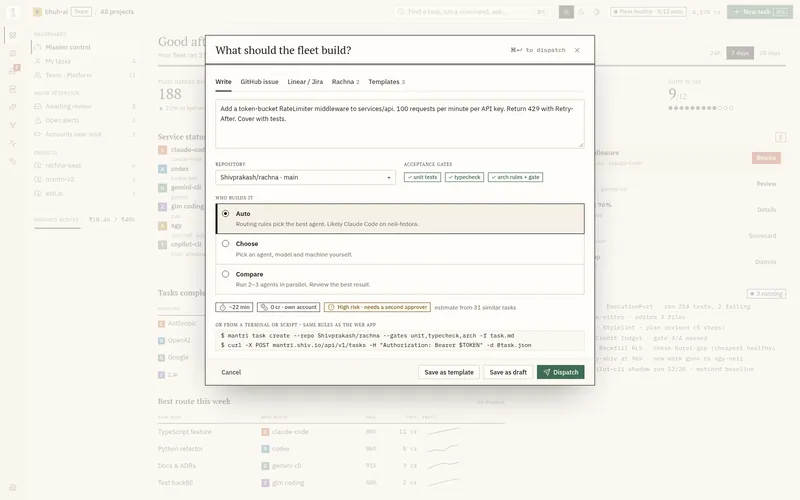
- New task composerWrite the intent, pick the repository and gates, and see time and cost before you dispatch.
- GitHub issue intakePaste an issue URL. Mantri snapshots the title and body so later edits cannot change the task.
- Rachna proposalsApproved Rachna proposals arrive as tasks with their graph context. Optional.
- Acceptance gatesEach project lists the checks every task must pass, such as tests, typecheck, and architecture rules.
- Estimate before dispatchShow expected time and credits from similar past tasks, and reserve credits up front.
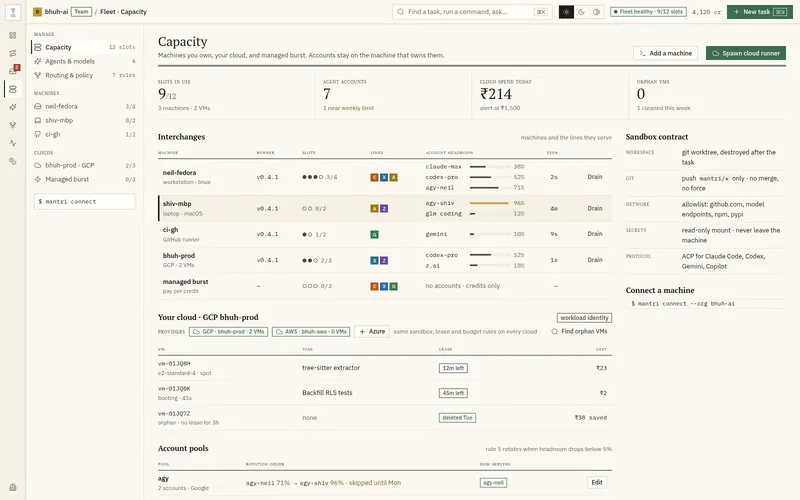
02 · Fleet and capacity
Pool your machines, your cloud, and managed capacity.
5 features
- Self-hosted runnersInstall the runner CLI on any Linux or macOS machine, connect it, and update it safely.
- Your cloud runnersSpawn runners in your own GCP project with Workload Identity. You pay Google directly.
- Managed burstBorrow Mantri-managed VMs when your own capacity is full. Paid with credits.
- Account discovery and headroomThe runner reports which agent accounts exist and how much quota each has left. Keys never leave the host.
- Drain, spawn, and orphan cleanupDrain a machine safely, spawn cloud runners, and find and delete forgotten VMs.
03 · Agents and models
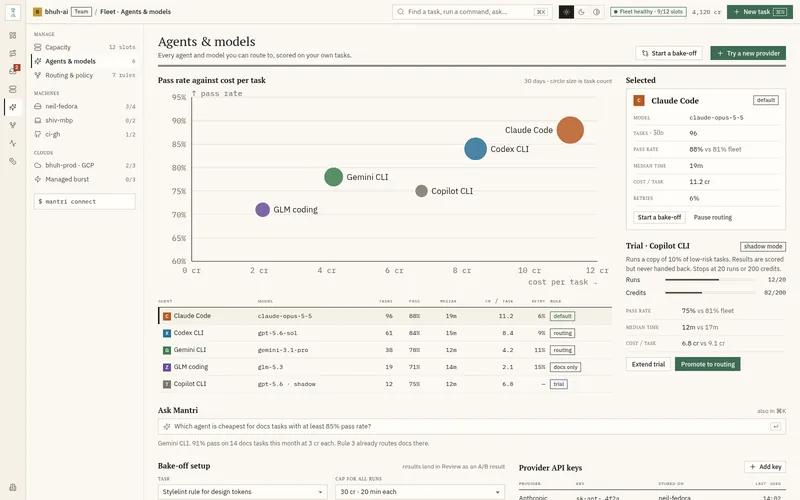
Drive many coding agents through one protocol.
2 features
- Agent catalog over ACPDrive Claude Code, Codex, Gemini CLI, Copilot CLI, Goose, and OpenHands through one open protocol.
- Pick agent and model per taskChoose an agent, model, and machine yourself when you do not want automatic routing.
04 · Routing and policy
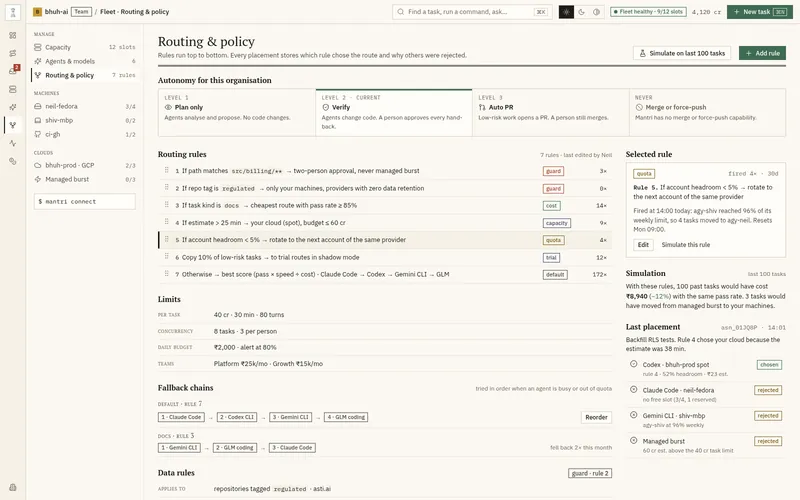
Rules you can read decide who builds what.
3 features
- Placement explanationsEvery placement shows the chosen route and why each other candidate was rejected.
- LimitsCaps per task, per person, and per day for time, turns, concurrency, and credits.
- Autonomy levelsPlan only, Verify, or Auto PR. Merge and force-push never exist.
05 · Safe execution
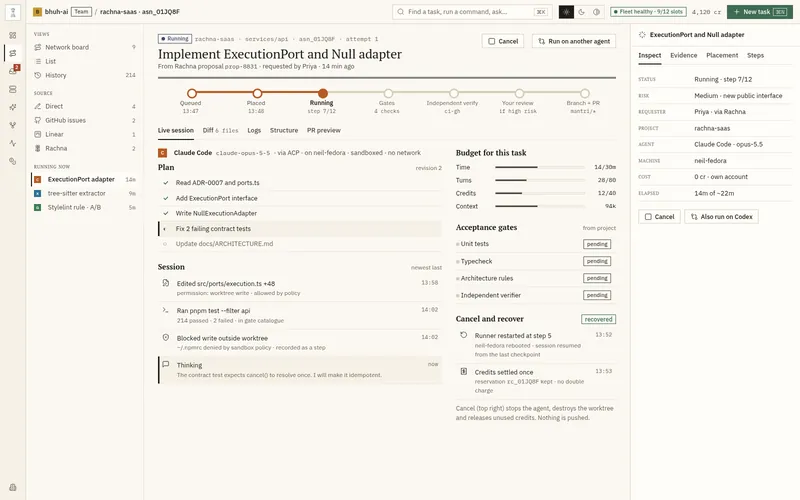
Each task runs in a fresh sandbox and is verified.
5 features
- Disposable sandboxEach task runs in a fresh worktree with no network beyond an allowlist. It is destroyed after.
- Fenced leases and retriesOnly the owning runner can report results. Retries create new attempts and keep history.
- Independent verifierA separate check confirms the result. If it fails or is unsure, the task does not reach review.
- Mantri-made commitsMantri creates the commit from the worktree. Agents never hold GitHub write access.
- Cancel and recoverCancel any task. After a crash, Mantri recovers and settles credits once.
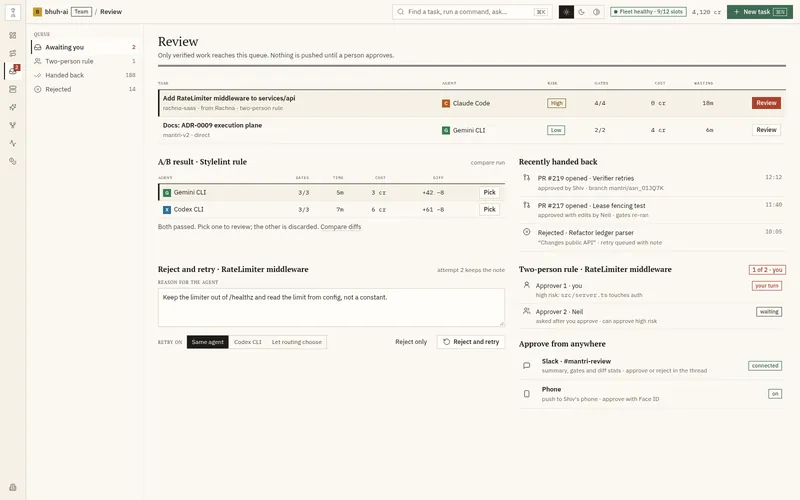
06 · Review and hand-back
A person approves each hand-back. Mantri never merges.
4 features
- Review queueOnly verified work appears here, with risk, gates, cost, and age.
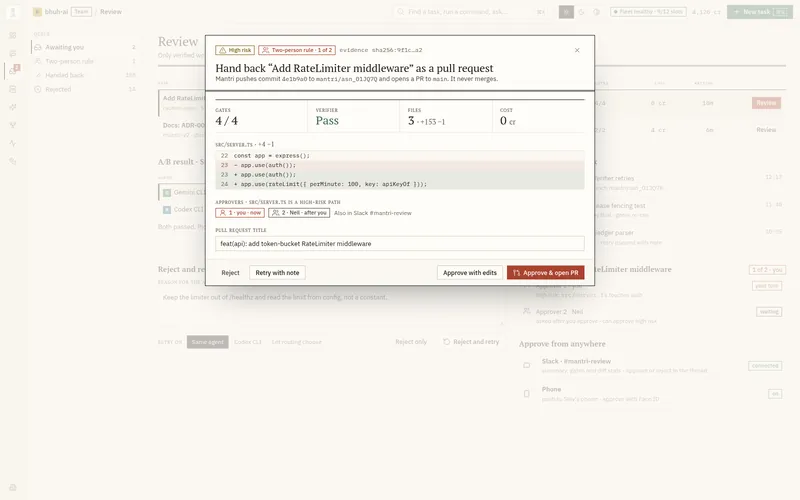
- Approval with evidenceThe dialog pins the commit, evidence digest, gates, risk, and target branch.
- Approve with editsEdit the patch or PR text. Mantri reruns every gate before hand-back.
- Branch and PR hand-backPush to a scoped branch and open one PR, even after retries.
07 · Observability
See each run and decision in one place.
2 features
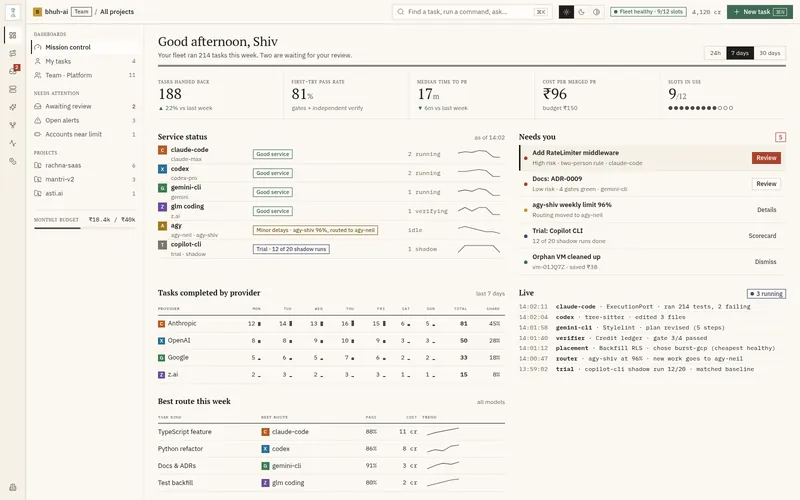
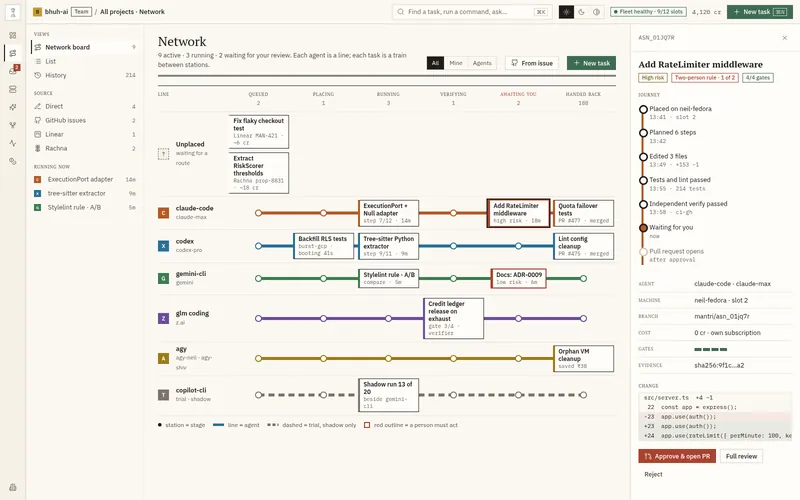
- Live boardFive lanes from Queued to Ready for review, with progress and agent on each card.
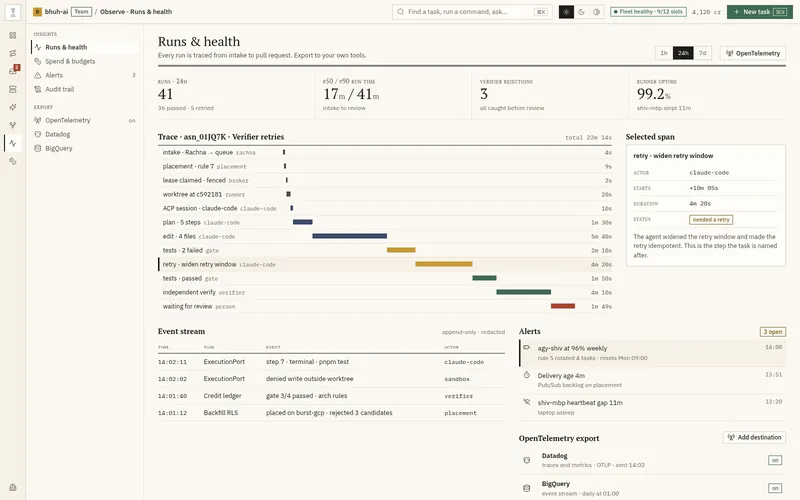
- Event stream and audit trailEvery step, decision, and denial in an append-only, redacted log.
08 · Spend and enterprise
Prepaid credits with a receipt for each change.
2 features
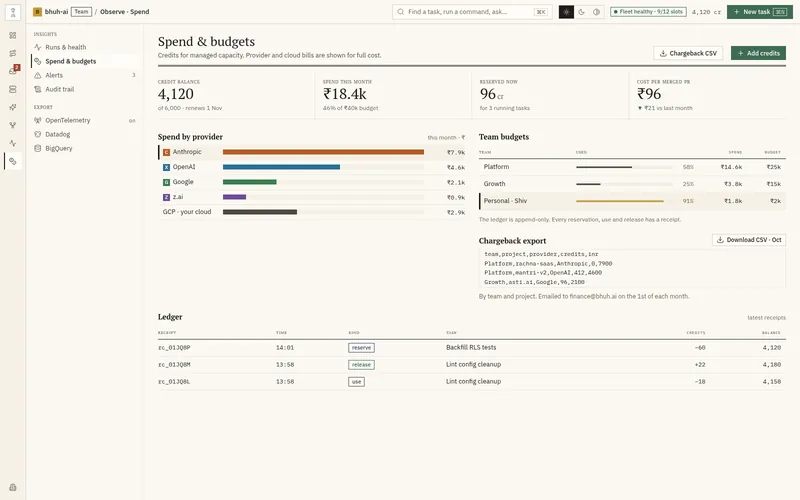
- Credit ledgerPrefunded credits with reservations, use, and releases. Every change has a receipt.
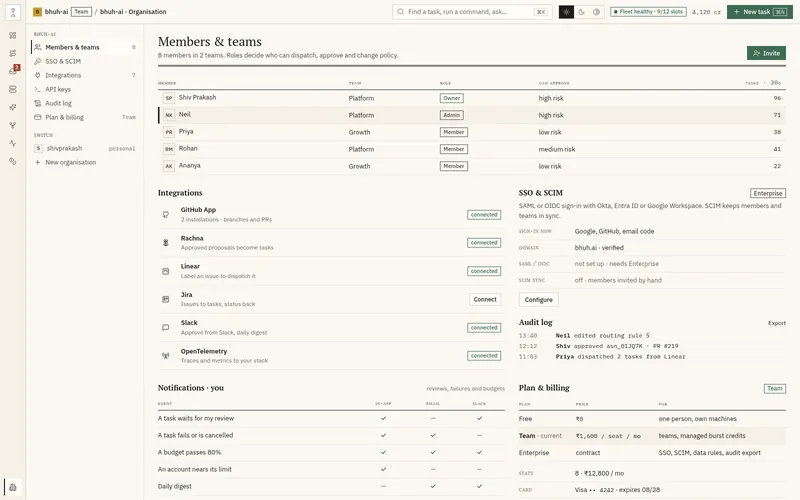
- Organisations and rolesOwners, admins, and members, with invitations and an organisation switcher.